Fintech and aviation depend on workflows that generic software does not always handle well.
A maintenance team may need to coordinate job orders, technicians, machines, and technical manuals. A capital markets team may need to manage bidding, collateral, approvals, and transaction rules in real time.
When the workflow is this specific, the software often needs to be specific too.
This is where custom software for fintech and aviation can make a difference.
Moonlay builds systems around the way an operation actually works. The goal is not to add another tool. It is to reduce manual coordination, improve visibility, and turn business rules into a system that teams can use every day.
Here are three examples from Moonlay’s anonymized portfolio.
1. A Scheduling System Built for Aviation Maintenance
The Operational Challenge
A maintenance, repair, and overhaul operation used manual logs and disconnected tools for production planning and job tracking.
Engineers could not quickly see which jobs needed evaluation. They also had to check which parts were under repair and which compliance forms were still in draft.
As a result, simple status checks required extra coordination.
Scheduling added another layer of complexity.
Planners had to consider job orders, technician availability, machine capacity, and maintenance timelines at the same time. Managing those inputs across separate tools made the process harder to control.
Bringing Job Status Into One View
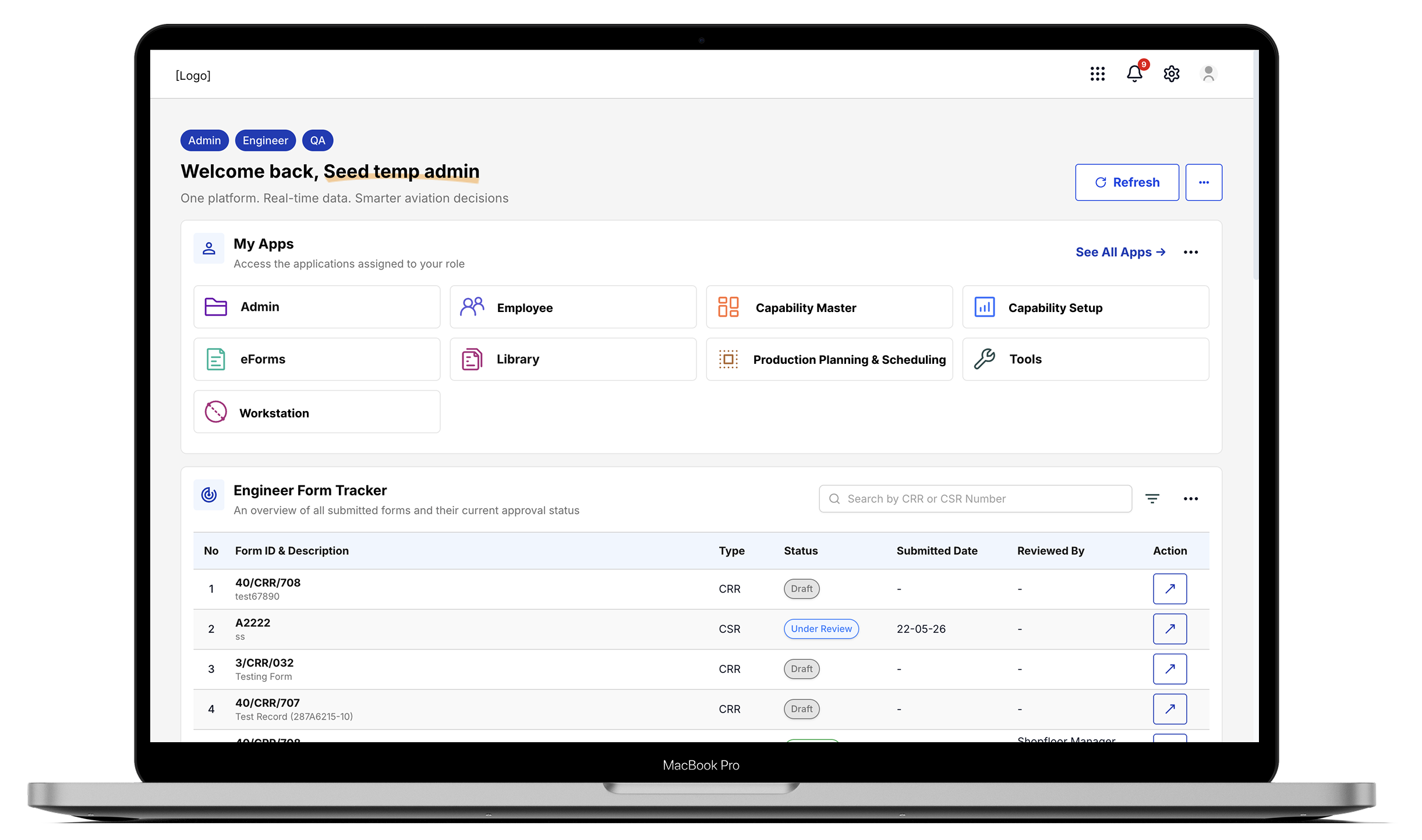
Moonlay built a role-based operations dashboard that brings key information into one place.
The platform includes Production Planning & Scheduling, an Engineer Form Tracker, a Job Progress tracker, and supporting technical and compliance workflows.
Each job order shows its part number, description, current status, due date, and technical manual reference.
Instead of chasing updates from different sources, planners can review the latest information from one operational view.
The system also makes workflow status visible.
Engineering forms can move from draft to review and publication within the same environment. Teams can see where each item sits without checking separate inboxes or trackers.
Scheduling Jobs, Technicians, and Machines Together
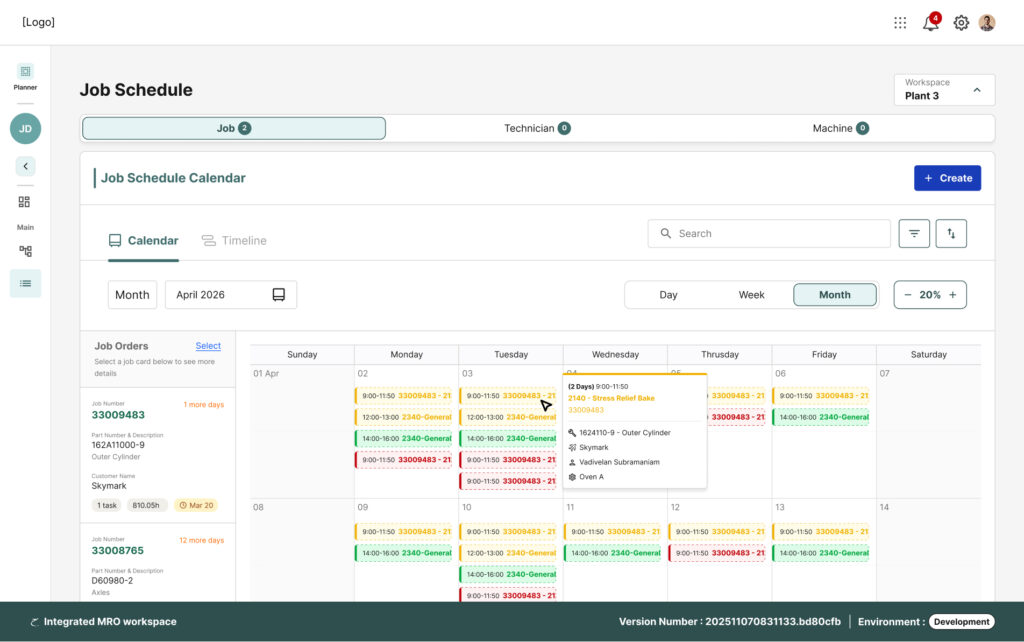
At the centre of the workflow is the job scheduling calendar.
The calendar uses job orders, technician availability, and machine capacity from the platform. This helps planners manage the schedule without repeatedly cross-checking several spreadsheets.
Users can work from calendar or timeline views.
They can also open a job to review its details, assigned resources, and related information.
This gives the planning team more context before making changes.
A schedule becomes more useful when it reflects the real operation behind it.
That is the difference between a generic calendar and an enterprise scheduling system built for an aviation maintenance workflow.
Keeping Compliance in the Same Workflow
Scheduling alone does not cover the full aviation maintenance process.
Technical documentation and approvals also need to stay visible.
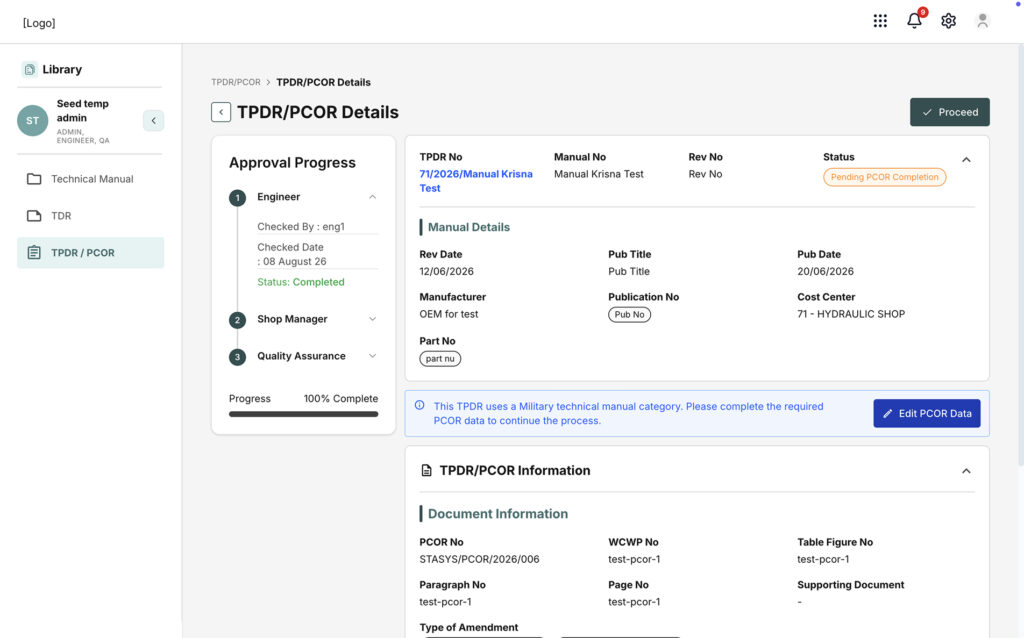
The platform therefore includes workflows for Technical Manuals, TDRs, and TPDR/PCOR records.
Change requests follow a defined approval path. Engineers, shop managers, and quality assurance reviewers can see each stage.
Revision dates, publication numbers, and supporting documents stay connected to the process.
This matters in regulated operations.
A job may be scheduled correctly, but the team still needs the right technical information and approval status before work can move forward.
The Operational Outcome
Planners get one source of truth for job status.
Compliance reviewers can see where each request sits without opening another system. Role-based access also keeps each user’s actions relevant to their responsibilities.
The system does more than organize a calendar.
It connects planning, job progress, technical references, and approval workflows around the way maintenance work actually happens.
2. Employee and Certification Management for Regulated Roles
The Operational Challenge
Another operations team needed a reliable way to manage employee records.
They also needed better visibility into certification expiry.
In regulated industries, an expired technician certification can create more than an administrative problem. It may create a compliance or operational risk.
Without a central system, teams may depend on manual checks to catch approaching deadlines.
That creates unnecessary risk as the number of employees grows.
One Structure for Every Employee Record
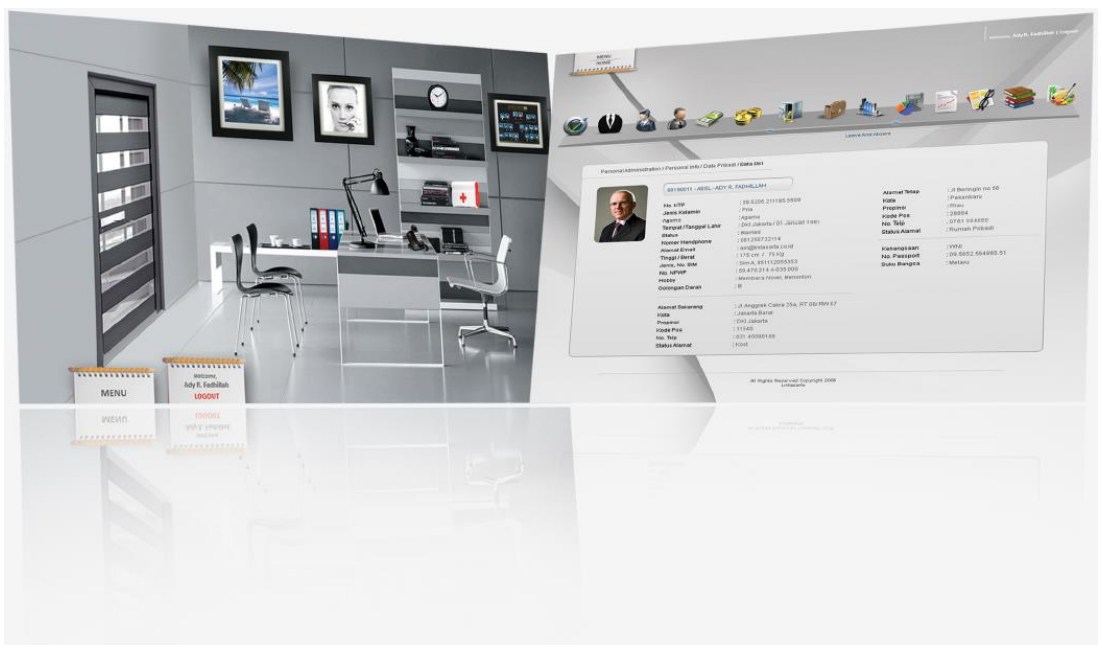
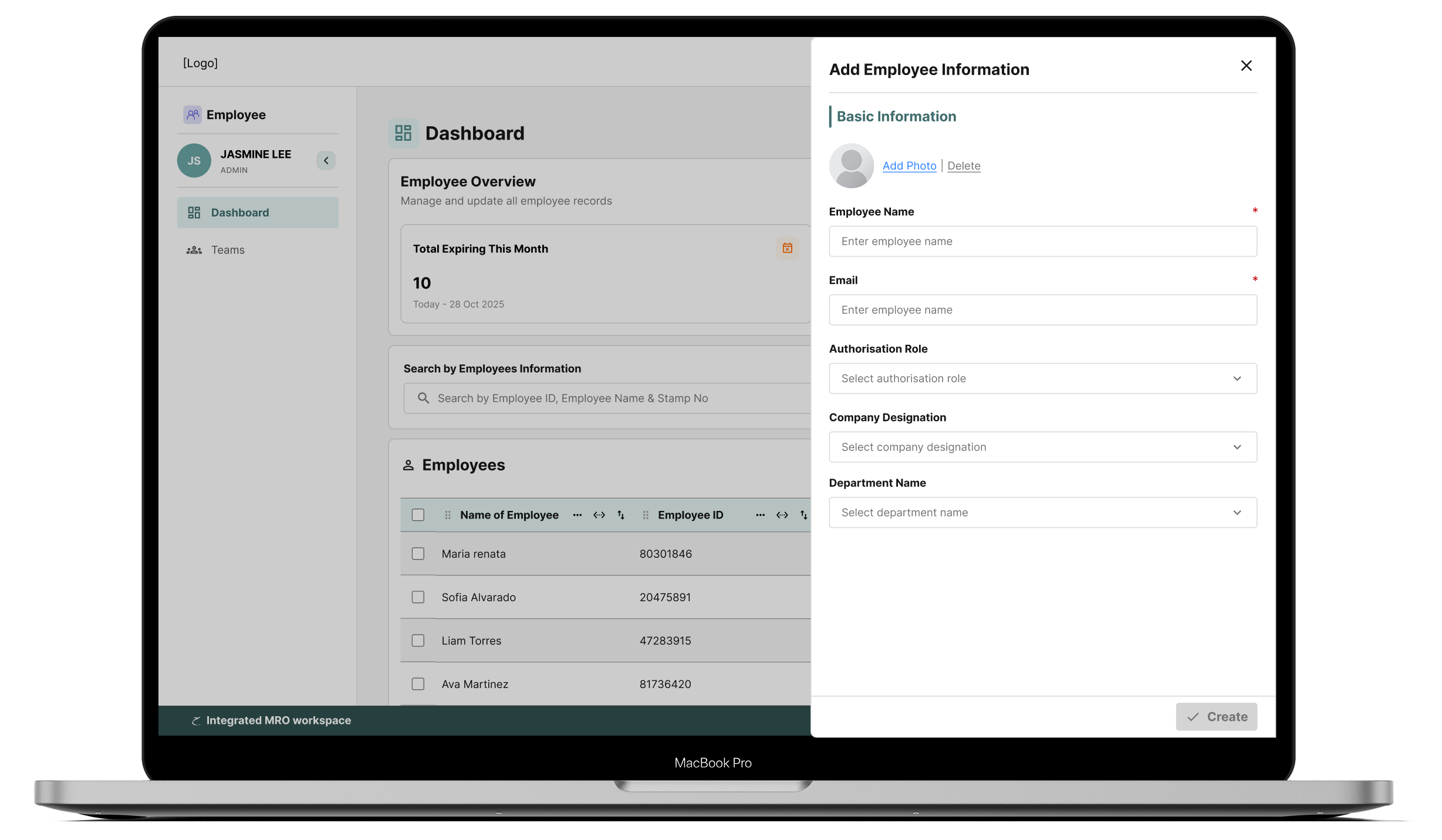
Moonlay built a role-based employee management system.
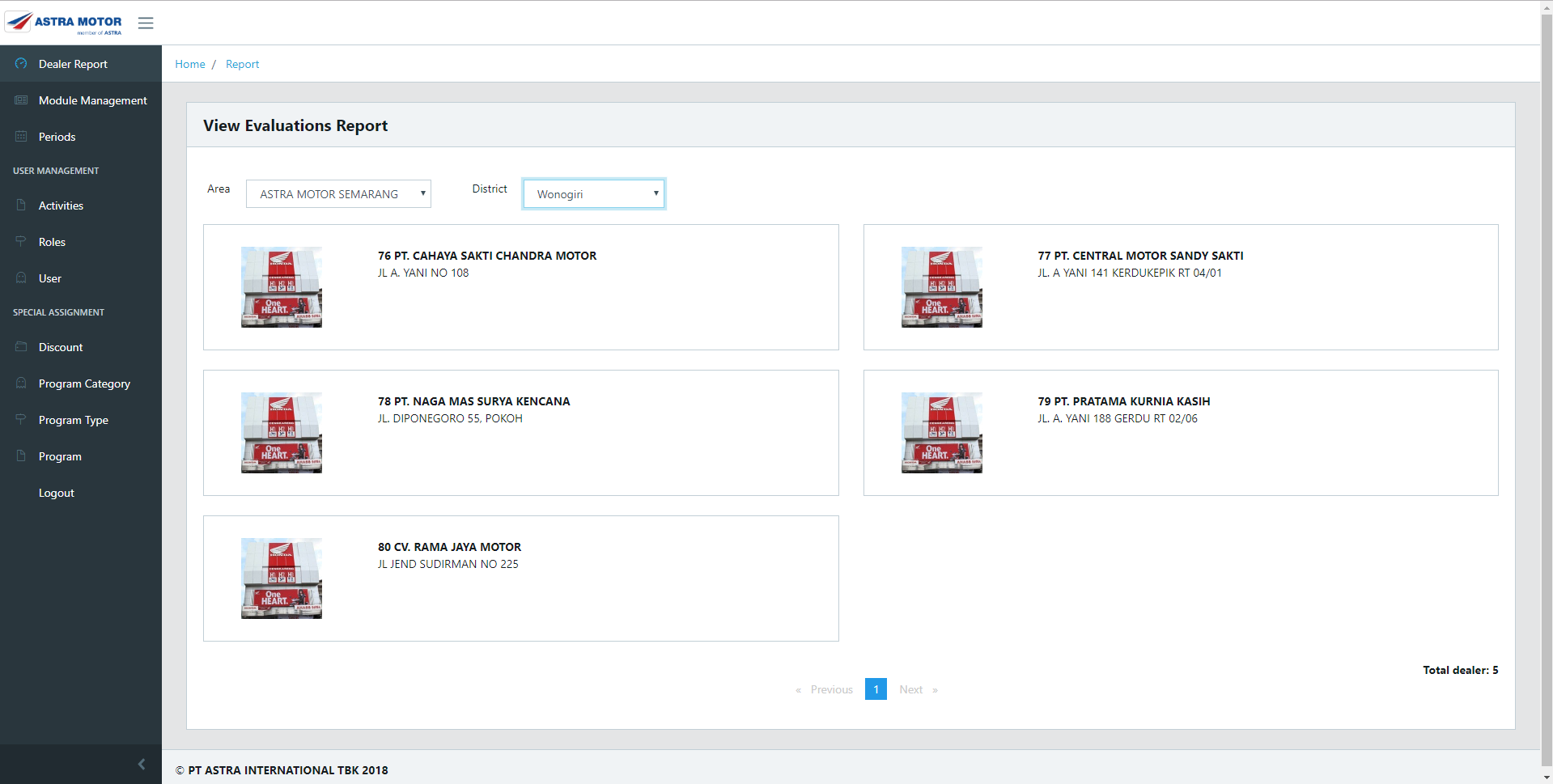
Admins can search employees by ID, name, or stamp number.
Each employee profile can include information such as authorisation role, company designation, department, and employee details.
The same structure applies when the admin adds a new employee.
This creates a more consistent setup process.
Instead of assigning access and employee information in different places, the team can manage the record from one system.
Tracking Certification Expiry Before It Becomes a Risk
The dashboard also surfaces certifications that are approaching expiry.
This changes the timing of the process.
Instead of discovering an expired certification after the deadline, teams can see upcoming risks earlier.
Operations and compliance teams can then prepare for renewal before the expiry becomes an issue.
This is a small example of why workflow design matters.
The value does not come from simply storing an expiry date. The system needs to make that date visible at the right time.
The Operational Outcome
HR and operations teams can work from one employee database instead of reconciling separate records.
Admins can assign roles when they create an employee record. The dashboard also highlights upcoming certification deadlines.
This gives teams a clearer view of employee readiness and compliance-related information.
It is the kind of operational detail that generic employee-management tools can easily miss.
3. A Custom Auction System for Capital Markets Operations
The Operational Challenge
Capital markets workflows introduce a different type of complexity.
A financial institution needed a platform to support securities auctions, including reverse repo and Islamic financing structures.
The workflow involved competitive bidding, collateral calculations, auction timing, approvals, and allocation.
These processes need clear rules.
They also need reliable information while the auction is running.
A spreadsheet may support individual calculations. However, it does not provide the same level of control across the full transaction lifecycle.
Configuring the Auction
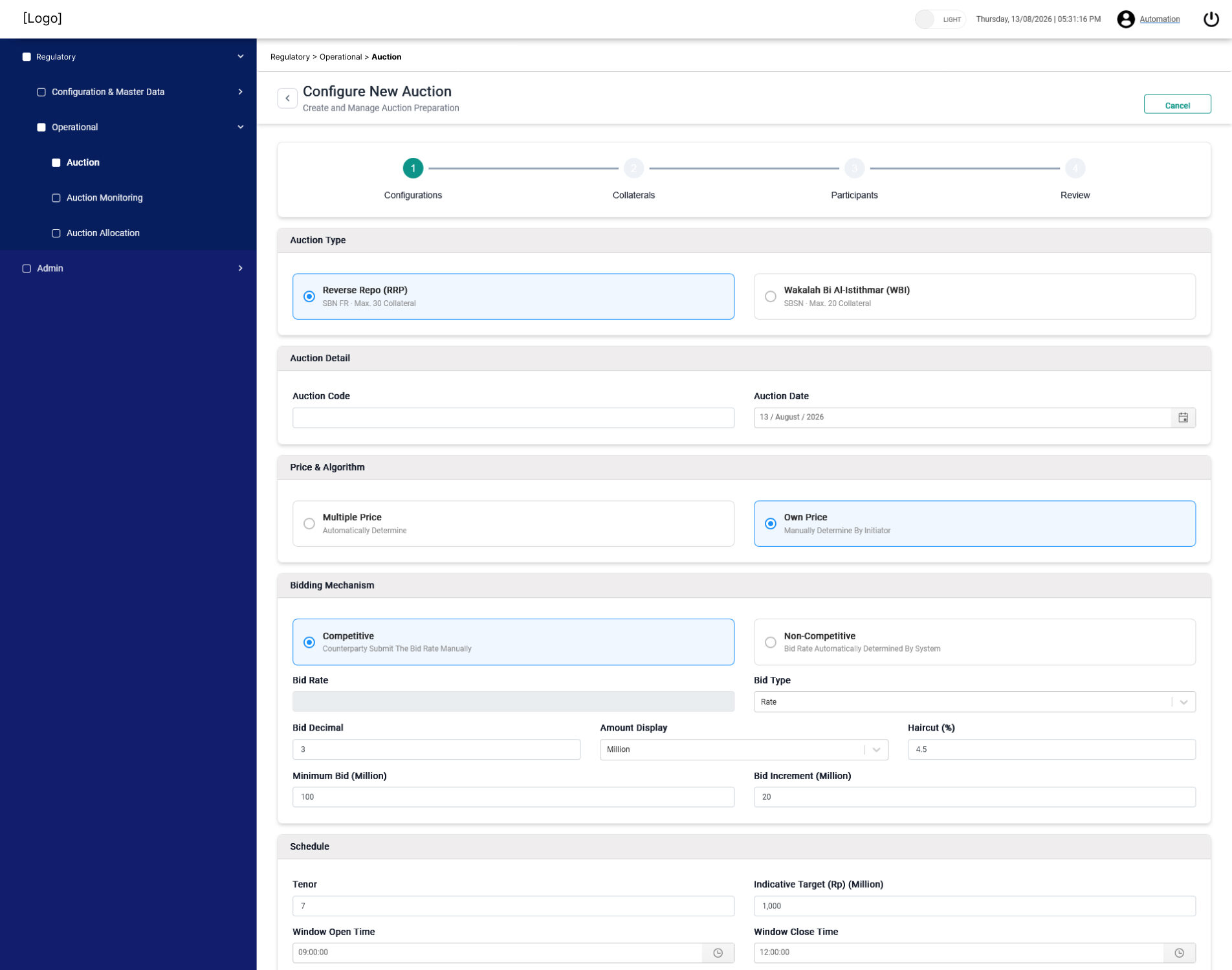
Moonlay built an end-to-end auction platform.
Before an auction begins, administrators can configure key parameters such as auction type, bidding mechanism, minimum bid, bid increment, tenor, window open and close times, and pricing rules.
This creates a structured starting point for the transaction.
The platform can support different auction configurations without requiring the operations team to rebuild the process each time.
Monitoring Bids in Real Time
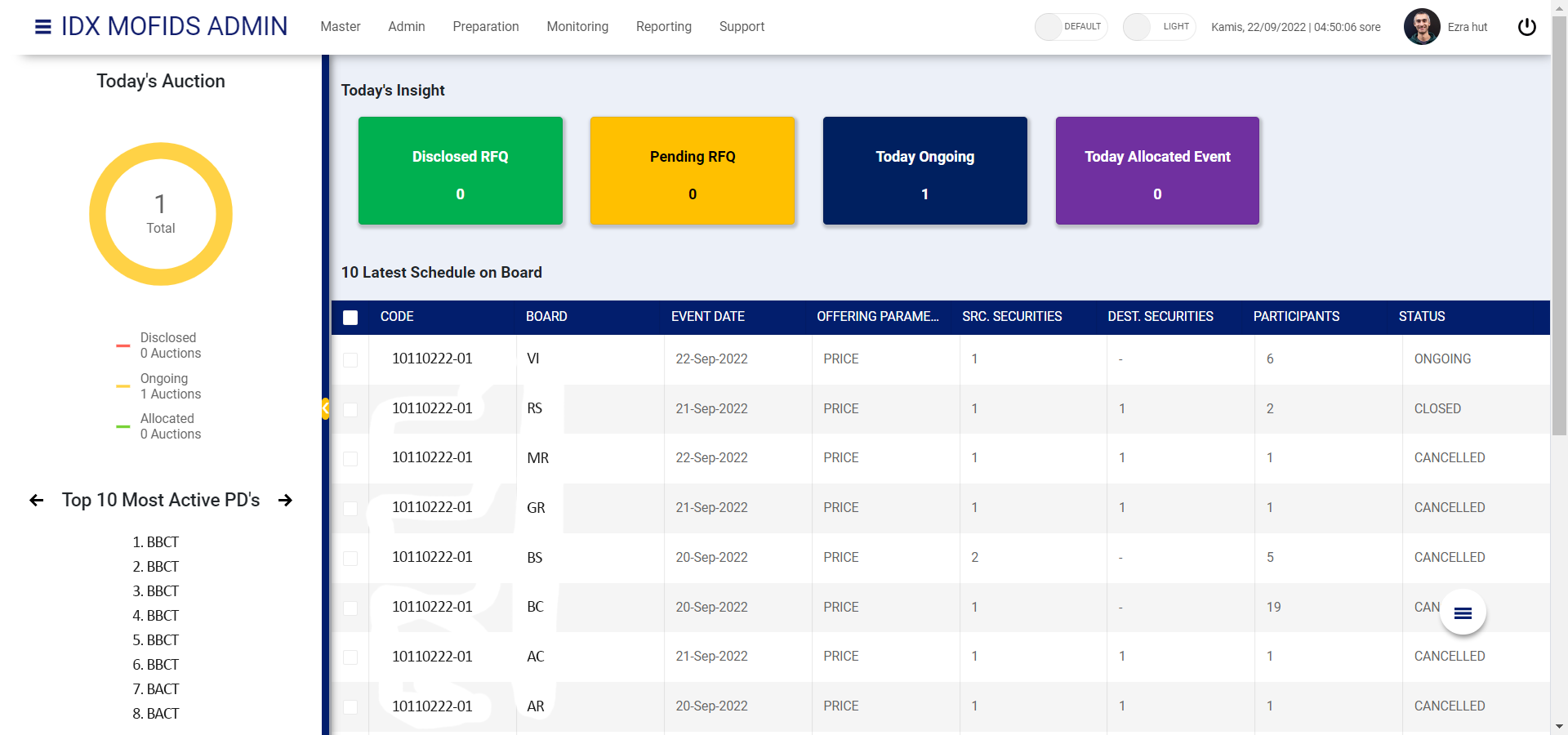
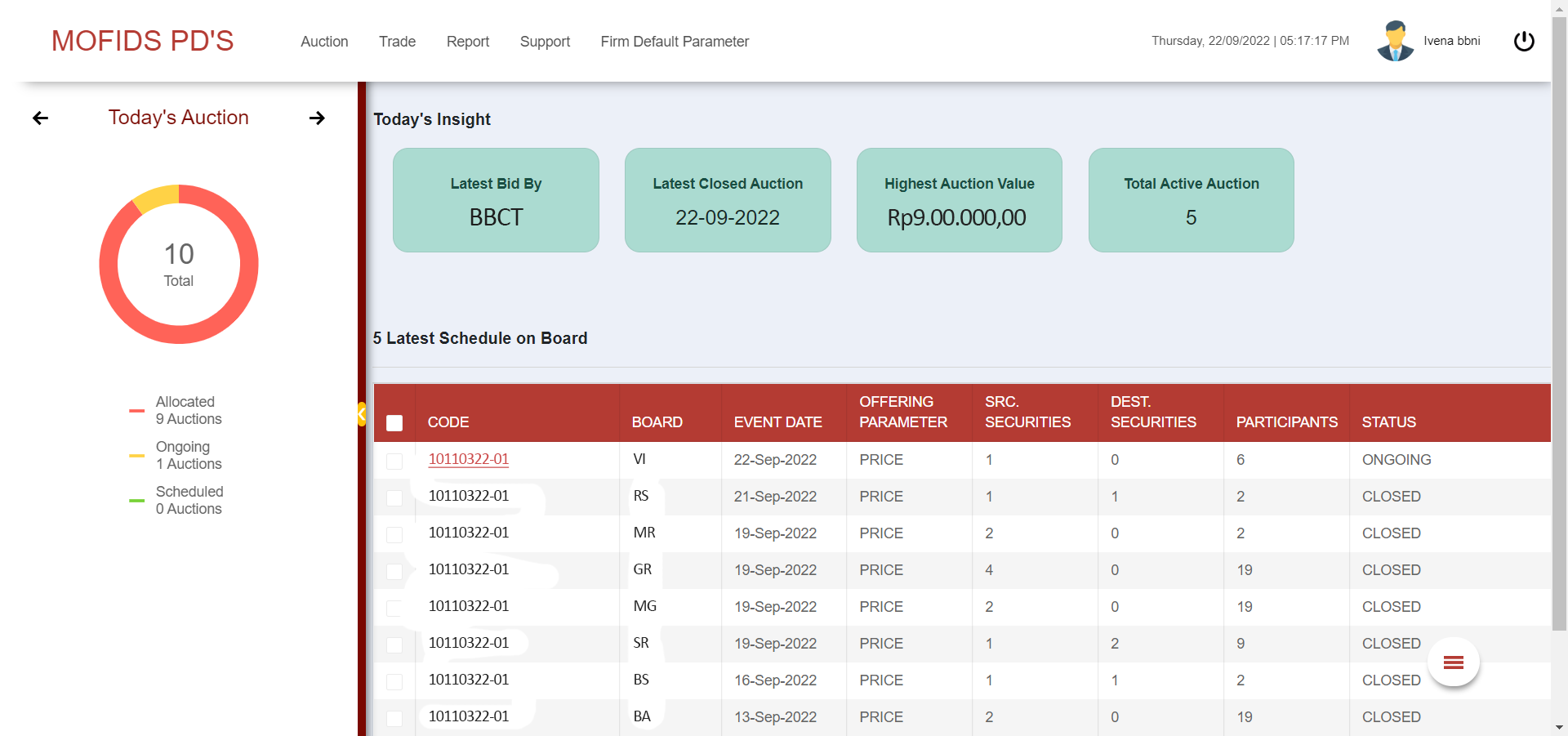
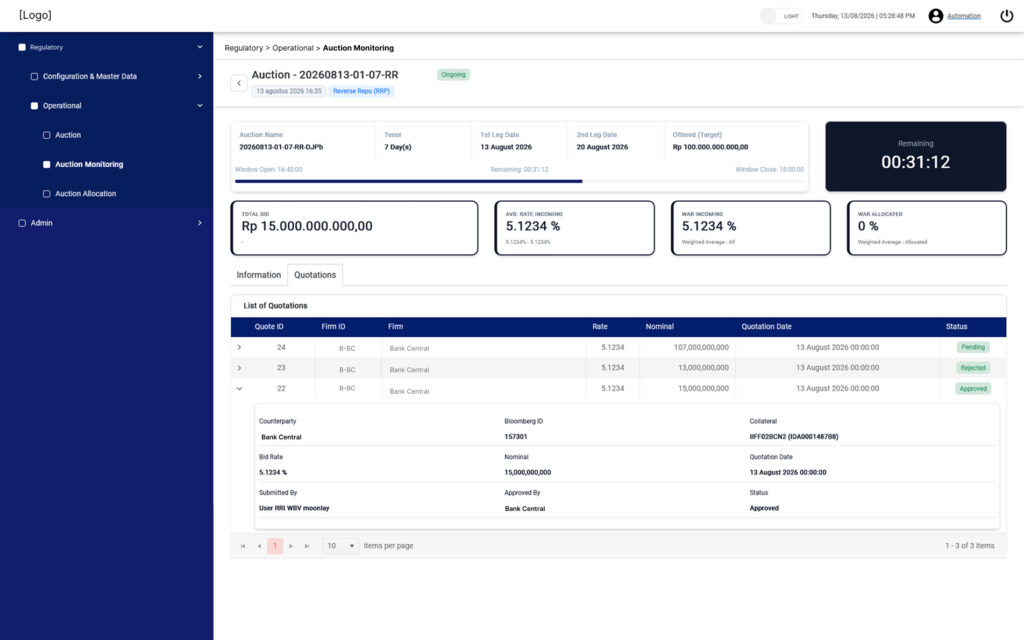
During the auction, administrators can monitor activity from one dashboard.
The system shows information such as remaining auction time, total bid value, incoming rates, quotation status, and allocation information.
Teams can review quotations within the platform.
The system also keeps a record of submission and approval activity.
This gives administrators a clearer view while the auction is still running. They do not need to reconcile information after the fact.
Managing Collateral and Transaction Information
The platform also connects the auction workflow with lending and collateral information.
The system can manage data such as coupon rates, accrued interest, required collateral, and collateral coverage.
Teams can work with cash or securities collateral based on the transaction setup.
This reduces the need to move repeatedly between separate tools during the process.
For fintech software development, this type of integration matters.
The transaction does not happen in one screen. Several connected rules and activities need to work together.
Controlling Access by Role
Access control also plays an important role.
The platform uses granular permissions across different modules and actions.
Roles can control whether a user can read information, create records, update data, delete records, or export information.
These controls support a workflow where different users have different responsibilities.
The platform does not rely on every user having the same level of access.
The Operational Outcome
Auction administrators get a live view of bidding activity, incoming rates, and transaction status.
They can review quotations inside the system while keeping a clear record of the process.
Collateral information also stays connected to the transaction workflow.
Together, these capabilities give the operations team more visibility and control over a time-sensitive process.
This is what purpose-built financial software can support when the transaction itself becomes the workflow.
What These Three Systems Have in Common
These systems solve very different problems.
One supports aviation maintenance scheduling. Another manages employee and certification information. The third manages capital markets auctions.
However, they follow the same design approach.
Role-Based Access From the Start
Each system controls actions based on user roles.
This matters in fintech and aviation because access is often more than a usability decision. It can form part of the operational control model.
The system needs to know who can view, create, review, approve, or change information.
Visible Status Instead of Status-Chasing
Operational work becomes harder when status lives in someone’s inbox, spreadsheet, or memory.
The systems above make status visible.
Users can see job progress, approval stages, certification deadlines, and auction activity from the platform.
This reduces the need to repeatedly ask:
“Where is this process now?”
Auditability Built Into the Workflow
Approvals, document changes, bids, and other actions happen inside the system.
This creates a clearer operational trail.
Teams do not have to reconstruct the process later from emails and separate files.
For regulated or transaction-heavy operations, this is an important part of system design.
Why Custom Software Starts With the Workflow
Generic software can work well when business processes follow common patterns.
But some operations have rules that are too specific for a standard platform.
The problem often appears when teams start creating workarounds.
They may use one application for the main process, a spreadsheet for exceptions, email for approvals, and another file for tracking status.
The software may technically work.
The operation still carries the complexity.
This is why custom software for fintech and aviation should start with a different question:
How does the operation actually work today?
From there, the team can identify who is involved, what information they need, which actions they perform, where approvals happen, and what needs to stay visible.
Technology comes after that understanding.
The system should support the workflow instead of forcing the workflow to fit the system.
When Is Custom Software Worth Reviewing?
Not every manual process needs a new application.
However, several warning signs may indicate that the current tools no longer support the operation well.
Look at workflows where teams rely heavily on spreadsheets, approvals happen through email, business rules require manual workarounds, or status is difficult to see without asking another person.
It is also worth reviewing processes where several disconnected tools support one end-to-end workflow.
One issue on its own may not justify a custom build.
Several of them in the same critical workflow may be worth reviewing.
Build Around the Operation, Not Around the Tool
The examples above cover aviation scheduling, employee and certification management, and capital markets auctions.
They look different on the surface.
But each system starts from the same principle:
Understand the operation first. Then build the software around it.
For Moonlay, custom software development is not only about implementing features.
It means translating people, business rules, data, roles, and workflows into a system that supports day-to-day operations.
The technology changes.
The principle does not.
Review Your Operational Workflow With Moonlay
Many operational processes still depend on spreadsheets, disconnected tools, or manual approval chains.
That does not always mean you need a new system.
But if your team spends too much time working around its current tools, it may be worth reviewing the workflow first.